PUBLIC INDICATOR · OPEN SOURCE
4 WMA Super Cross Signals
Published version 2
By @TerminalChillnessExplore this indicator →
BUILT BY TRADERS. FOR TRADERS.
Follow price action. Build the tools you wish you had. See what changes when you change a setting—and take that work straight to your chart.
Futures charting · Indicator development · Simulated practice · Your Rithmic connection
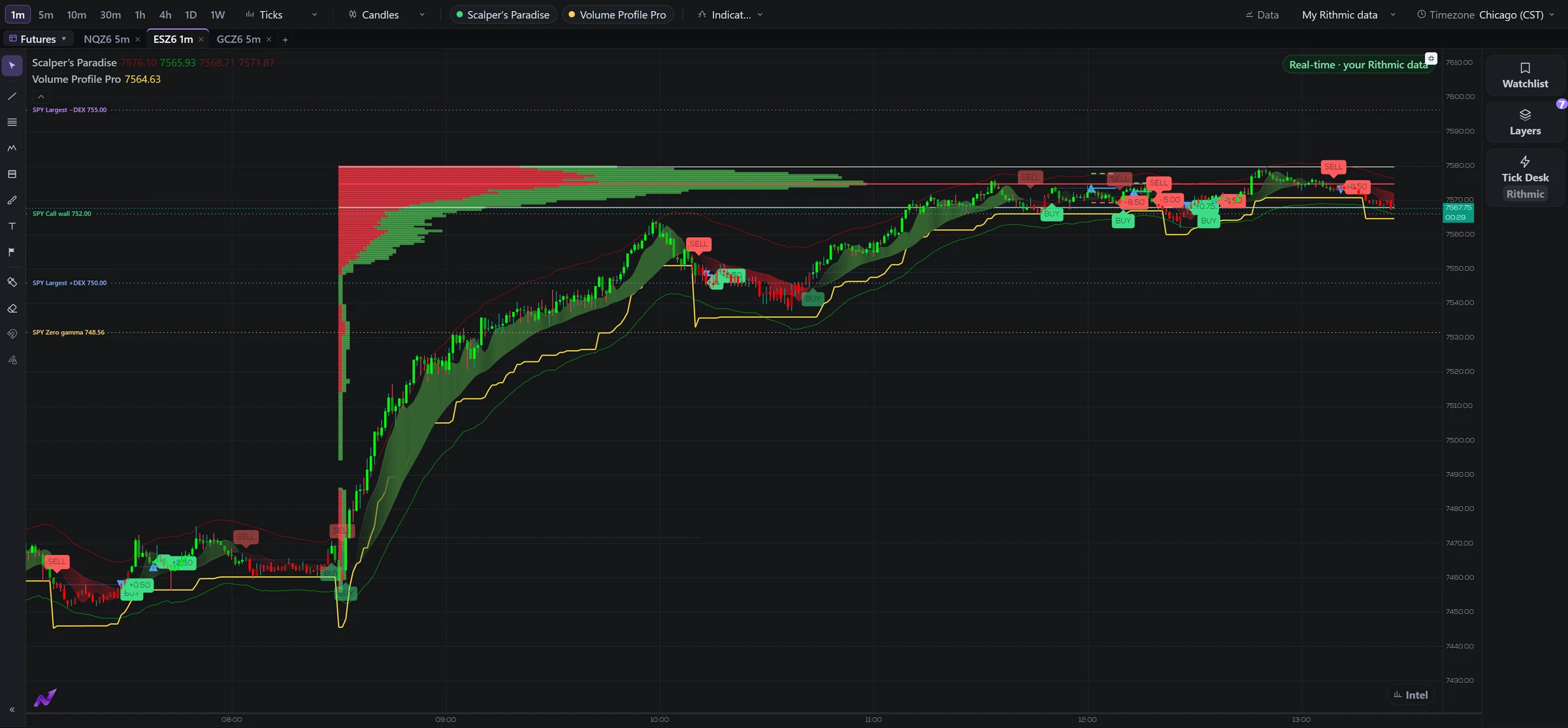 Take the guided tour
THE CONNECTED WORKFLOW
Real screens from Trusted Ticks. Build and Compare use recorded market candles; Observe shows 10-minute-delayed data.
STEP 01
Write supported Pine in the editor, load its inputs and run a preview. Keep source, chart and problems together in an arrangement that suits you.
Open Creator Studio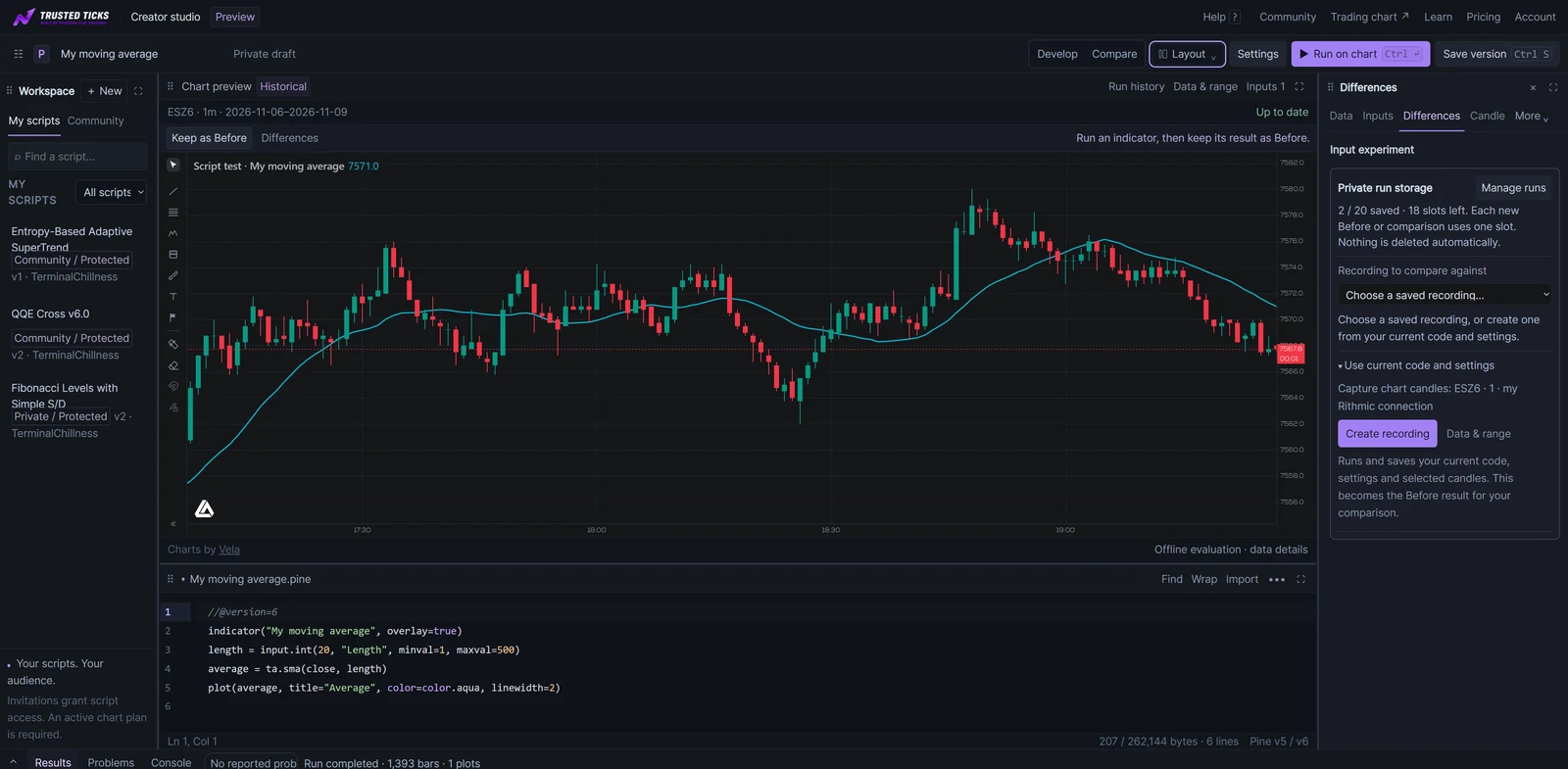
STEP 02
Create a recording, change an input and run a comparison. Before and After keep you looking at the same chart. Click a candle or a recorded change to explore it.
Follow the comparison guide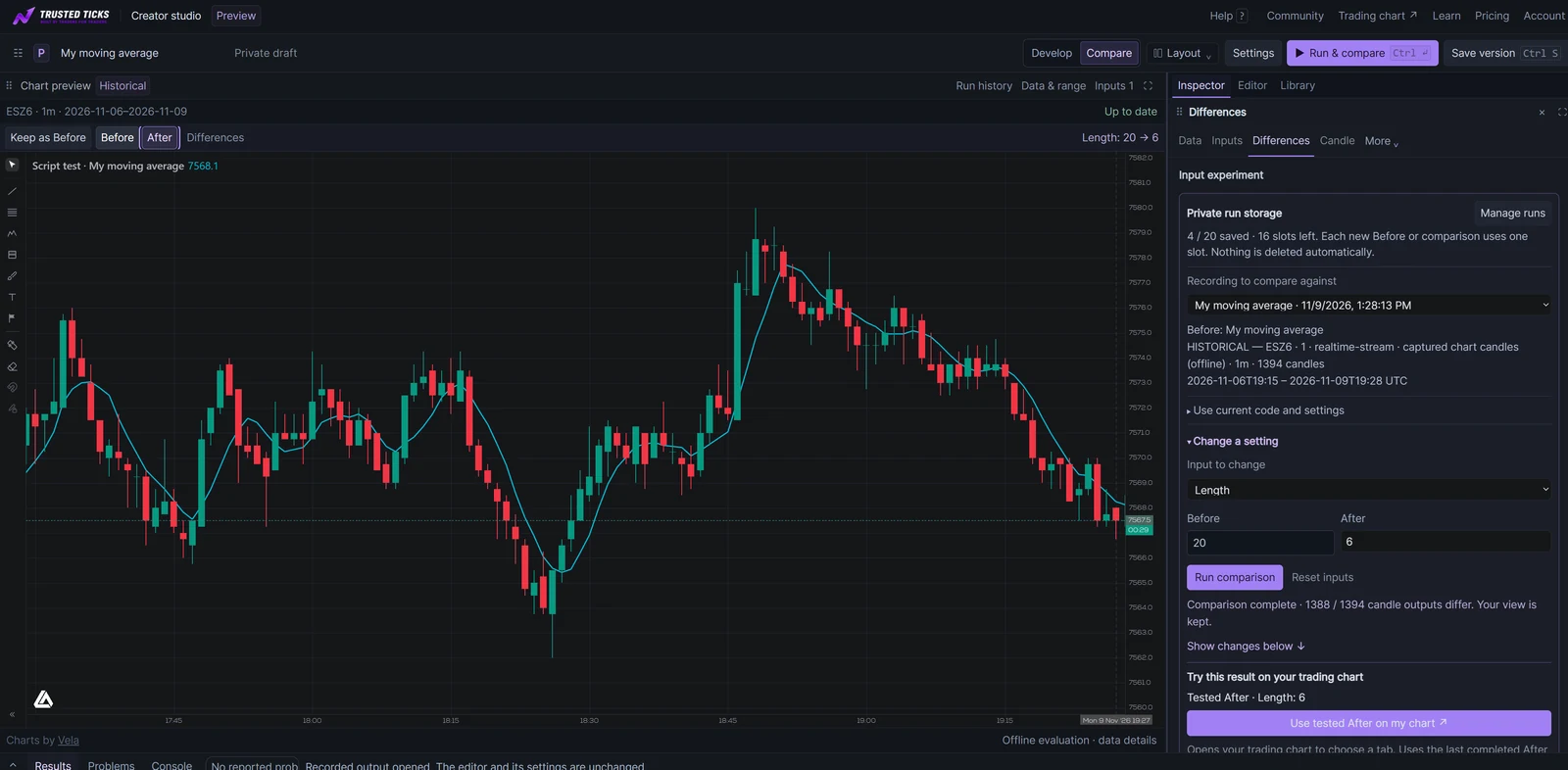
STEP 03
Use tested After on my chart opens a destination chooser. Review all the settings, choose a tab and apply. The saved code version stays pinned; Undo is available.
See how applying works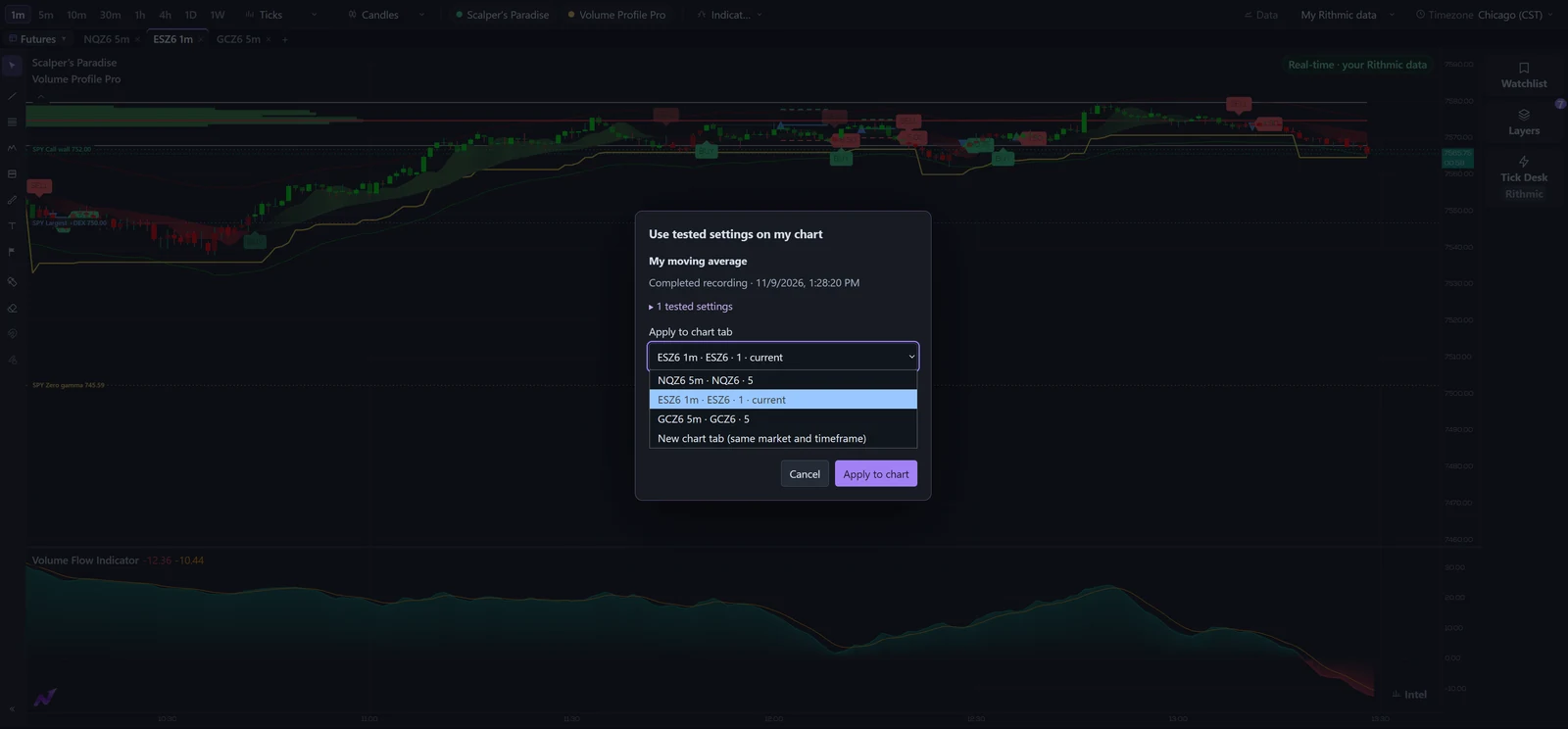
STEP 04
Your applied configuration uses the chosen chart’s candles. Check the data status and calculation time as you observe it. Current server calculations refresh about every 20 seconds.
Open your chart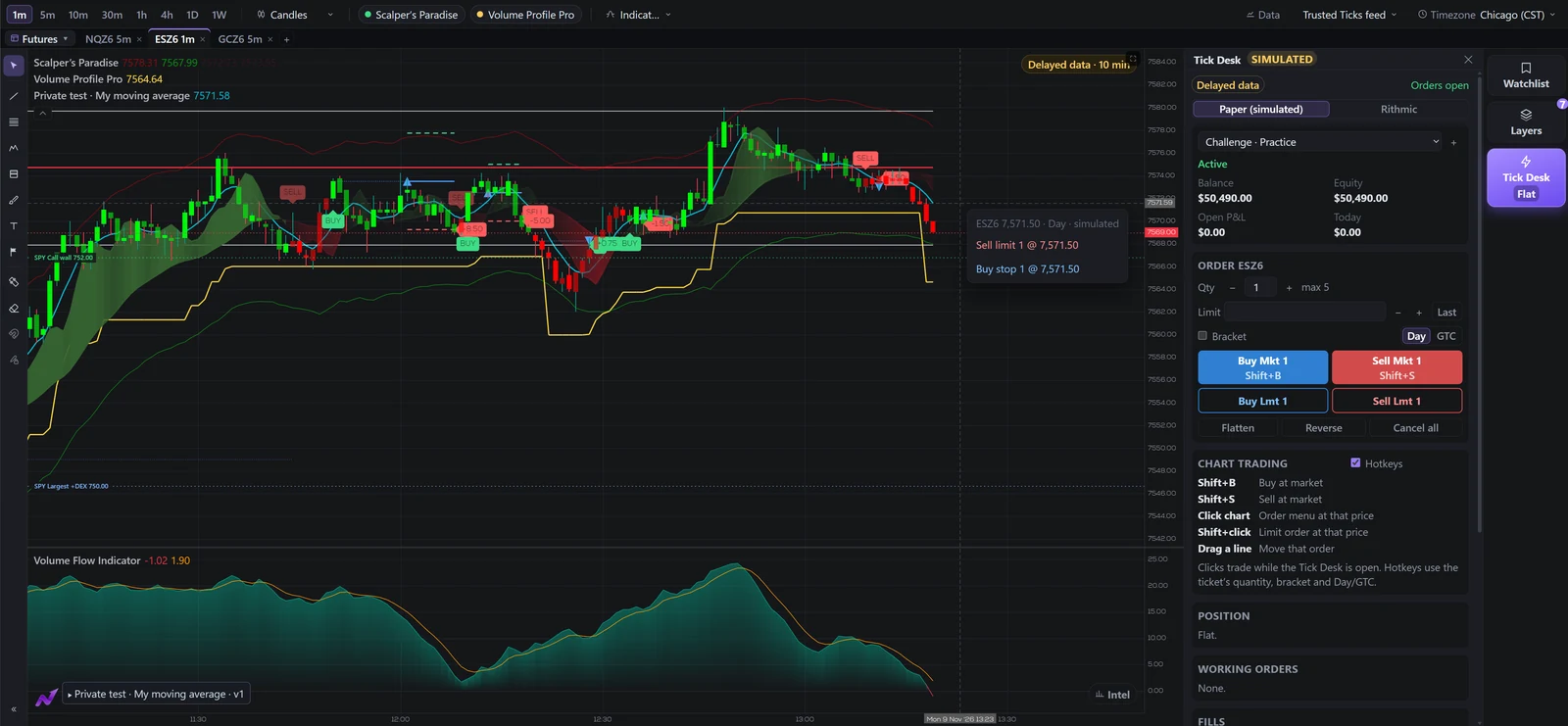
FOR TRADERS
Chart futures, practice on Tick Desk and connect your own Rithmic account—all inside Trusted Ticks. Trader starts at $20/month.
FOR CREATORS · CREATOR STUDIO
Develop supported Pine Script® v5/v6 indicators with the Creator plan. Compare settings on the same recorded candles, then take the tested version straight to your chart.
The code and candles stay fixed. Compare the plotted line, then select a candle to inspect its recorded values.
A changed output shows a behavioral difference. It does not establish that a setting is more profitable.
Try an input experimentSTRATEGY · INDICATORS · COACHING
The Trusted Ticks setup, Scalper’s Paradise indicator, Volume Profile Pro and Discord coaching—together in one learning-focused membership.
Both indicators come already set up on your chart. No separate TradingView subscription. Nothing to install. No settings to match.
FROM THE COMMUNITY
The biggest difference for me is that this has actually taught me to be a patient trader. I don’t feel like I have to find a trade every time I open the charts. The strategy is clear and concise, without being so complicated that you get lost in all the details.
One thing I really appreciate is that you don’t have to stare at the charts all day. You need to be focused and precise, but it’s not time-consuming, which makes it ideal for full-time workers like myself.
Watching them on Discord and the live streams, you can tell they genuinely care about teaching and breaking things down in a way that actually makes sense. No hype, no pressure — just real-time analysis, explanations, and patience.
Posted by members in the Trusted Ticks Discord and quoted with their permission; “…” marks a shortened passage. Individual experiences, not a promise of results. Futures trading involves substantial risk and is not suitable for everyone.
THE PEOPLE BEHIND YOUR TOOLS
Browse real public indicators and opted-in creator profiles. Explore the work before choosing what belongs on your chart.
PUBLIC INDICATOR · OPEN SOURCE
Published version 2
By @TerminalChillnessExplore this indicator →PUBLIC INDICATOR · PROTECTED SOURCE
Published version 2
By @TerminalChillnessExplore this indicator →PUBLIC INDICATOR · PROTECTED SOURCE
Published version 2
By @TerminalChillnessExplore this indicator →TRADER · CREATOR · SCALPER’S PARADISE
Trader is your futures workspace. Creator adds indicator development, comparisons and publishing. Scalper’s Paradise is the separate strategy and coaching membership.
| Your workspace | Trader $20 / month | Creator $99 / month | Scalper’s Paradise Separate membership |
|---|---|---|---|
| Futures charts, studies & drawings | Included | Included | Included |
| Simulated paper trading | Included | Included | Included |
| Your own Rithmic connection | Included | Included | Included |
| Run Community & invited indicators | Included | Included | Included |
| Write, compare & publish scripts | — | Included | — |
| Audience seats for your scripts | — | Unlimited | — |
| Saved layouts · up to 8 chart tabs each | 20 | 30 | 3 |
| Proprietary indicators & Discord coaching | With lifetime benefit | With lifetime benefit | Included |
Scalper’s Paradise membership options are on its own page . Monthly members already have Trader charting; lifetime members chart with a Trader or Creator plan.
A FEW USEFUL ANSWERS
Details that help you choose your next step.
No. Trusted Ticks has its own chart workspace and Creator Studio. Your Trusted Ticks plan supplies the tools it includes; connecting your own Rithmic account requires your provider’s permission and market-data access.
No. Chart plans include the chart workspace, built-in studies, drawing tools and simulated paper trading. You can run public or invited indicators. Writing and publishing your own source requires the Creator plan.
You can import source you have permission to use. Supported Pine v5/v6 runs through PineTS. Compatibility is checked; not every TradingView feature or script is guaranteed to work unchanged.
No. Protected source stays on the server and members receive only its outputs. Public versus invite-only audience is a separate choice from protected versus open source.
Yes, if your broker or prop firm allows the connection and you have the market-data permissions. Paper and live accounts stay separate, and live orders require deliberate arming.
No. These are static screenshots of actual ESZ6 market data, captured November 9, 2026; each caption says whether it was real-time, recorded or delayed. Streaming chart data needs a signed-in account with a chart plan.
On the Scalper’s Paradise membership page , which has current options and pricing. Trader and Creator chart subscriptions are bought here, from your Trusted Ticks account.
Create your account with the email your membership is under and choose “I’m already a Scalper’s Paradise member”. Confirm your email and your access opens, with nothing to pay here. If it doesn’t, ask an admin in the Trusted Ticks Discord to check that email on the member list.
Choose Trader or Creator and enter your account details to continue to Whop checkout. Your subscription starts when you complete payment. Then confirm your email to finish setup. You can cancel renewal anytime from your account.
MAKE IT YOUR WORKSPACE
Take the tour, explore the community, or find the plan that fits.
Futures trading involves substantial risk of loss and is not suitable for everyone. Product demonstrations are not trading advice or evidence of returns. Pine Script® runs through the independently developed PineTS runtime; Trusted Ticks is not affiliated with or endorsed by TradingView, Inc.